Payments
Billing for extra photos
Generate additional revenue by allowing clients to select more photos than included in their package, paying for each additional photo.
With extra photo billing, you set a limit of included photos and a price for each additional one. When your client wants more, they pay directly from the gallery without you having to intervene.
- Automatic. The client pays directly from the gallery through Stripe. No need to collect payments manually.
- Direct deposit. Money is deposited directly into your bank account connected to Stripe, usually in 2-3 business days.
- Transparent commission. ChooseYourPictures charges 5% on the Pro plan and 10% on the Basic plan. Additionally, the standard Stripe commission applies (2.9% + $0.30 USD in the US).
How to set it up
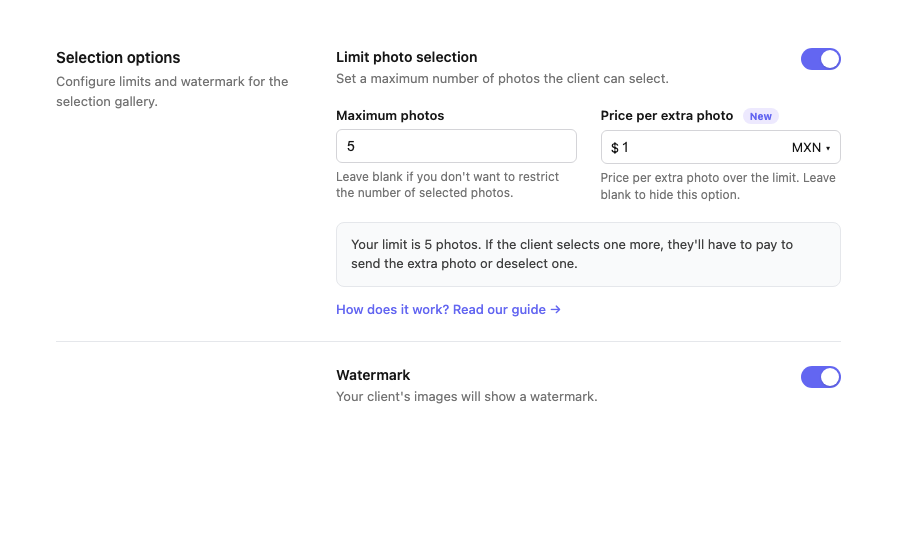
From the create or edit client screen, turn on the Limit photo selection option, set the maximum number of included photos and the price per extra photo.
What your client sees
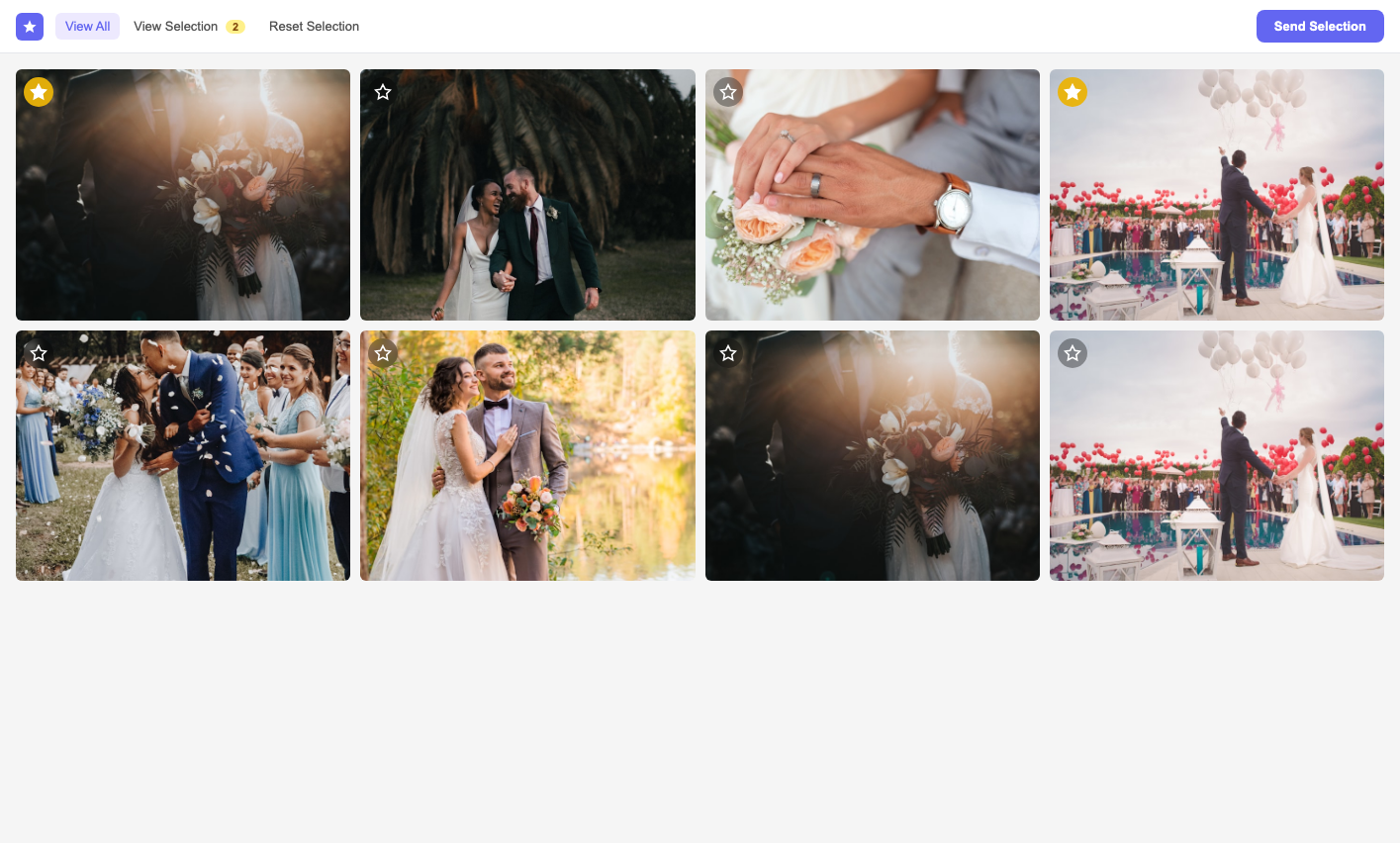
Your client sees the gallery with all available photos. When selecting photos, a counter shows them how many they have chosen and how many they have left. When they reach the limit and try to select more, they are presented with the option to pay for additional photos.
Practical example
Imagine you offer a package of 20 edited photos for $300 USD. You set a limit of 20 photos and a price of $15 USD per extra photo.
"My client selected 25 photos instead of 20. The 5 extra photos were charged automatically: $75 USD that went straight to my Stripe account. Without having to negotiate or send a separate payment link."
Complete payment flow
Here is how the process works from start to finish:
- Your client browses the gallery and selects their favorite photos.
- When they reach the limit (e.g. 20 photos), the next selection shows the price per extra photo.
- The client decides to add more photos and proceeds to payment through Stripe.
- Payment is processed immediately. Your client can continue selecting.
- You receive the payment in your bank account in 2-3 business days.
- In the gallery settings you will see the history of received payments.
You need to have your Stripe account connected to use this feature. Learn how to set up Stripe →